Region Shapes
Regions provides Region objects, representing
projected planar “region-in-image” shapes (defined in pixel
or sky coordinates), and also representing spherical
“region-on-celestial-sphere” shapes (defined using sky coordinates).
The provided Region objects represent shapes such as circles,
ellipses, rectangles, polygons, lines, and points. There are also
regions defining circular, elliptical, and rectangular annuli,
and a longitude/latitude range (in spherical geometry).
Defining Shapes
This section shows examples of how to construct a region for each shape that’s currently supported.
Circle
CircleSkyRegion, CirclePixelRegion, and
CircleSphericalSkyRegion
>>> from astropy.coordinates import SkyCoord
>>> from astropy import units as u
>>> from regions import PixCoord
>>> from regions import (CircleSkyRegion, CirclePixelRegion,
...                      CircleSphericalSkyRegion)

>>> center_sky = SkyCoord(42, 43, unit='deg', frame='fk5')
>>> region_sky = CircleSkyRegion(center=center_sky, radius=3 * u.deg)
>>> region_sph_sky = CircleSphericalSkyRegion(center=center_sky, radius=3 * u.deg)
>>> region_pix = CirclePixelRegion(center=PixCoord(x=42, y=43),
...                                radius=4.2)
CircleAnnulusSkyRegion, CircleAnnulusPixelRegion,
and CircleAnnulusSphericalSkyRegion
>>> from astropy.coordinates import SkyCoord
>>> from astropy import units as u
>>> from regions import PixCoord
>>> from regions import (CircleAnnulusSkyRegion,
...                      CircleAnnulusPixelRegion,
...                      CircleAnnulusSphericalSkyRegion)

>>> center_sky = SkyCoord(42, 43, unit='deg', frame='fk5')
>>> region_sky = CircleAnnulusSkyRegion(center=center_sky,
...                                     inner_radius=3 * u.deg,
...                                     outer_radius=4 * u.deg)
>>> region_sph_sky = CircleAnnulusSphericalSkyRegion(center=center_sky,
...                                                  inner_radius=3 * u.deg,
...                                                  outer_radius=4 * u.deg)
>>> region_pix = CircleAnnulusPixelRegion(center=PixCoord(x=42, y=43),
...                                       inner_radius=4.2,
...                                       outer_radius=5.2)
Ellipse
EllipseSkyRegion and EllipsePixelRegion
>>> from astropy.coordinates import SkyCoord
>>> from astropy import units as u
>>> from regions import PixCoord
>>> from regions import EllipseSkyRegion, EllipsePixelRegion

>>> center_sky = SkyCoord(42, 43, unit='deg', frame='fk5')
>>> region_sky = EllipseSkyRegion(center=center_sky,
...                               height=3 * u.deg, width=3 * u.deg,
...                               angle=5 * u.deg)
>>> region_pix = EllipsePixelRegion(center=PixCoord(x=42, y=43),
...                                 height=4.2, width=4.2,
...                                 angle=5 * u.deg)
EllipseAnnulusSkyRegion and
EllipseAnnulusPixelRegion
>>> from astropy.coordinates import SkyCoord
>>> from astropy import units as u
>>> from regions import PixCoord
>>> from regions import EllipseAnnulusSkyRegion, EllipseAnnulusPixelRegion

>>> center_sky = SkyCoord(42, 43, unit='deg', frame='fk5')
>>> region_sky = EllipseAnnulusSkyRegion(center=center_sky,
...                                      inner_width=3 * u.deg,
...                                      outer_width=4 * u.deg,
...                                      inner_height=6 * u.deg,
...                                      outer_height=7 * u.deg,
...                                      angle=6 * u.deg)
>>> region_pix = EllipseAnnulusPixelRegion(center=PixCoord(x=42, y=43),
...                                        inner_width=4.2,
...                                        outer_width=5.2,
...                                        inner_height=7.2,
...                                        outer_height=8.2,
...                                        angle=6 * u.deg)
Rectangle
RectangleSkyRegion and RectanglePixelRegion
>>> from astropy.coordinates import SkyCoord
>>> from astropy import units as u
>>> from regions import PixCoord
>>> from regions import RectangleSkyRegion, RectanglePixelRegion

>>> center_sky = SkyCoord(42, 43, unit='deg', frame='fk5')
>>> region_sky = RectangleSkyRegion(center=center_sky,
...                                 width=3 * u.deg, height=4 * u.deg,
...                                 angle=5 * u.deg)
>>> region_pix = RectanglePixelRegion(center=PixCoord(x=42, y=43),
...                                   width=3, height=4,
...                                   angle=5 * u.deg)
RectangleAnnulusSkyRegion and
RectangleAnnulusPixelRegion
>>> from astropy.coordinates import SkyCoord
>>> from astropy import units as u
>>> from regions import PixCoord, RectangleAnnulusSkyRegion
>>> from regions import RectangleAnnulusPixelRegion

>>> center_sky = SkyCoord(42, 43, unit='deg', frame='fk5')
>>> region_sky = RectangleAnnulusSkyRegion(center=center_sky,
...                                        inner_width=3 * u.deg,
...                                        outer_width=4 * u.deg,
...                                        inner_height=6 * u.deg,
...                                        outer_height=7 * u.deg,
...                                        angle=15 * u.deg)
>>> region_pix = RectangleAnnulusPixelRegion(center=PixCoord(x=42, y=43),
...                                          inner_width=4.2,
...                                          outer_width=5.2,
...                                          inner_height=7.2,
...                                          outer_height=8.2,
...                                          angle=15 * u.deg)
Polygon
PolygonSkyRegion, PolygonPixelRegion,
PolygonSphericalSkyRegion, and
RegularPolygonPixelRegion. (Note that currently
PolygonSphericalSkyRegion only supports convex polygons.)
>>> from astropy.coordinates import SkyCoord
>>> from regions import (PixCoord,
...                      PolygonSkyRegion,
...                      PolygonPixelRegion,
...                      PolygonSphericalSkyRegion)
>>> from regions import RegularPolygonPixelRegion

>>> vertices = SkyCoord([1, 2, 2], [1, 1, 2], unit='deg', frame='fk5')
>>> region_sky = PolygonSkyRegion(vertices=vertices)
>>> region_sph_sky = PolygonSphericalSkyRegion(vertices=vertices)
>>> vertices = PixCoord(x=[1, 2, 2], y=[1, 1, 2])
>>> region_pix = PolygonPixelRegion(vertices=vertices)
>>> center = PixCoord(25, 25)
>>> region2_pix = RegularPolygonPixelRegion(center, 6, 15)
Range
RangeSphericalSkyRegion (Range has no direct analog in
planar geometry. Instead, this shape can be transformed by discretizing
to a polygon and transforming the polygon.)
>>> from astropy.coordinates import SkyCoord
>>> from astropy import units as u
>>> from regions import RangeSphericalSkyRegion

>>> sph_range = RangeSphericalSkyRegion(frame="galactic",
...                                     longitude_range=[315,45]*u.deg,
...                                     latitude_range=[0,45]*u.deg)
Point
PointSkyRegion and PointPixelRegion
>>> from astropy.coordinates import SkyCoord
>>> from regions import PixCoord, PointSkyRegion, PointPixelRegion

>>> center_sky = SkyCoord(42, 43, unit='deg', frame='fk5')
>>> region_sky = PointSkyRegion(center=center_sky)
>>> region_pix = PointPixelRegion(center=PixCoord(x=42, y=43))
Line
LineSkyRegion and LinePixelRegion
>>> from astropy.coordinates import SkyCoord
>>> from regions import PixCoord, LineSkyRegion, LinePixelRegion

>>> start_sky = SkyCoord(42, 43, unit='deg', frame='fk5')
>>> end_sky = SkyCoord(52, 53, unit='deg', frame='fk5')
>>> region_sky = LineSkyRegion(start=start_sky, end=end_sky)
>>> region_pix = LinePixelRegion(start=PixCoord(x=42, y=43),
...                              end=PixCoord(x=52, y=53))
Text
The text regions can be used to annotate a text string on an image.
TextSkyRegion and TextPixelRegion
>>> from astropy.coordinates import SkyCoord
>>> from regions import PixCoord, TextSkyRegion, TextPixelRegion

>>> center_sky = SkyCoord(42, 43, unit='deg', frame='fk5')
>>> region_sky = TextSkyRegion(center=center_sky, text='Demo Text')
>>> region_pix = TextPixelRegion(center=PixCoord(x=42, y=43),
...                              text='Demo Text')
Region Transformations
For nearly all region shapes there are three classes. First, for planar projections (e.g., “regions-on-image”, with Euclidean geometry), there is one class representing a “sky region” and another representing a “pixel region” on a given image. There are also spherical region classes, representing a “celestial sphere region” (with spherical geometry).
(The spherical class for some shapes is not currently implemented.
Additionally, some spherical classes do not have projected/planar
analogs, including RangeSphericalSkyRegion
and LuneSphericalSkyRegion.)
A key feature of the regions package is that it is possible to convert
back and forth between sky and image regions given a WCS object (e.g.,
WCS). For conversions to and from spherical sky regions,
it is also necessary to specify how boundary distortions
(from projection effects) should be treated.
Planar sky and pixel region transformations
As an example, let’s use the CircleSkyRegion, a
planar sky circle region:
>>> from astropy.coordinates import Angle, SkyCoord
>>> from regions import CircleSkyRegion

>>> center = SkyCoord(50, 10, unit='deg')
>>> radius = Angle(30, 'arcsec')
>>> sky_reg = CircleSkyRegion(center, radius)
To convert it to a pixel circle region (i.e.,
CirclePixelRegion), call the
to_pixel() method with a WCS object:
>>> pix_reg = sky_reg.to_pixel(wcs)
>>> print(pix_reg)
Region: CirclePixelRegion
center: PixCoord(x=55.3521, y=40.0958)
radius: 0.0060
Also to convert a PixelRegion
to a SkyRegion, call the
to_sky() method with a WCS object:
>>> sky_reg = pix_reg.to_sky(wcs)
>>> print(sky_reg)
Region: CircleSkyRegion
center: <SkyCoord (Galactic): (l, b) in deg
    (172.17231545, -38.27972337)>
radius: 29.999999999999996 arcsec
The conversion automatically selects the best method based on the WCS. For WCS with distortions (e.g., SIP) or non-astropy WCS objects (e.g., GWCS), the local Jacobian matrix of the WCS transformation is computed at the region center. This allows the scale factors along the width and height directions to differ, providing accurate conversions even for distorted WCS. For simple WCS without distortions, a faster offset-based method is used, which is exact in that case.
Note that all conversion methods are approximations that use the local
pixel scale at the region center. Projection effects over the extent
of the region are not accounted for. The region shape type is always
preserved through the conversion (e.g., a CirclePixelRegion
converts to a CircleSkyRegion and vice versa).
Spherical to planar region transformations
To demonstrate the transformation from spherical to planar regions,
let’s now use a CircleSphericalSkyRegion, a sky circle
defined in spherical geometry:
>>> from regions import CircleSphericalSkyRegion

>>> center = SkyCoord(50, 10, unit='deg')
>>> radius = Angle(30, 'arcsec')
>>> sph_sky_reg = CircleSphericalSkyRegion(center, radius)
To convert it to a planar sky circle region (i.e.,
CircleSkyRegion), call the
to_sky() method. If boundary distortions
are ignored (i.e., a spherical circle is transformed to a planar circle),
then a WCS object is not necessary:
>>> sky_reg = sph_sky_reg.to_sky(include_boundary_distortions=False)
>>> print(sky_reg)
Region: CircleSkyRegion
center: <SkyCoord (ICRS): (ra, dec) in deg
    (50., 10.)>
radius: 30.0 arcsec
To convert to a planar sky region that accounts for
boundary distortions arising from projection effects,
a WCS object must be passed (defining the projection).
In this case, the spherical region boundary is discretized
into a polygon before transforming, and a PolygonSkyRegion
instance is returned.
The number of points per side in the discretization (for a circle,
the number of points around the circumference)
can be specified through optional keywords that are passed
to the discretize_boundary() method.
>>> sky_reg = sph_sky_reg.to_sky(wcs=wcs,
...                              include_boundary_distortions=True,
...                              n_points=10)
>>> print(sky_reg)
Region: PolygonSkyRegion
vertices: <SkyCoord (Galactic): (l, b) in deg
    [(172.161888  , -38.27816116), (172.16270941, -38.28327092),
    (172.16720048, -38.2870257 ), (172.1736458 , -38.28799101),
    (172.17958283, -38.28579805)], ...]>
Similarly, spherical sky regions can be converted to pixel regions
by specifying a WCS object and whether to ignore or include boundary distortions
(returning either a CirclePixelRegion or PolygonPixelRegion,
respectively).
>>> pix_reg = sph_sky_reg.to_pixel(wcs=wcs,
...                                include_boundary_distortions=False)
>>> print(pix_reg)
Region: CirclePixelRegion
center: PixCoord(x=55.3521, y=40.0958)
radius: 0.006

>>> pix_reg2 = sph_sky_reg.to_pixel(wcs=wcs,
...                                 include_boundary_distortions=True,
...                                 n_points=10)
>>> print(pix_reg2)
Region: PolygonPixelRegion
vertices: PixCoord(x=[55.3544 55.3625 55.3666 55.3651 55.3587 ...],
y=[40.0992 40.0935 40.0886 40.0865 40.088 ...])
Planar regions can also be transformed to spherical regions, with the
to_spherical_sky and to_spherical_sky
methods.
>>> center = SkyCoord(50, 10, unit='deg')
>>> radius = Angle(30, 'arcsec')
>>> sky_reg = CircleSkyRegion(center, radius)
>>> sph_sky_reg = sky_reg.to_spherical_sky(include_boundary_distortions=False)
>>> print(sph_sky_reg)
Region: CircleSphericalSkyRegion
center: <SkyCoord (ICRS): (ra, dec) in deg
    (50., 10.)>
radius: 30.0 arcsec
Selectors for Regions
Several geometric regions (at this time, RectanglePixelRegion
and EllipsePixelRegion)
provide a method as_mpl_selector() to
create an interactive editable matplotlib widget that will be
connected to its parent region.
import matplotlib.pyplot as plt
import numpy as np
from regions import PixCoord, RectanglePixelRegion

x, y = np.mgrid[-15:16, -10:21]
z = np.exp(-(x / 4)**2 - (y / 6)**2)
ax = plt.subplot()
img = ax.imshow(z)

rectangle = RectanglePixelRegion(center=PixCoord(x=12, y=15), width=14, height=10)
selector = rectangle.as_mpl_selector(ax)
(Source code, png, hires.png, pdf, svg)
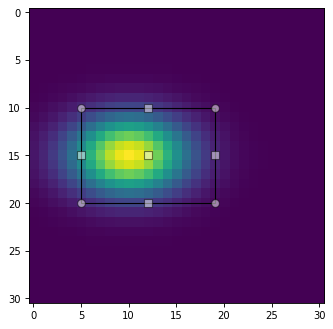
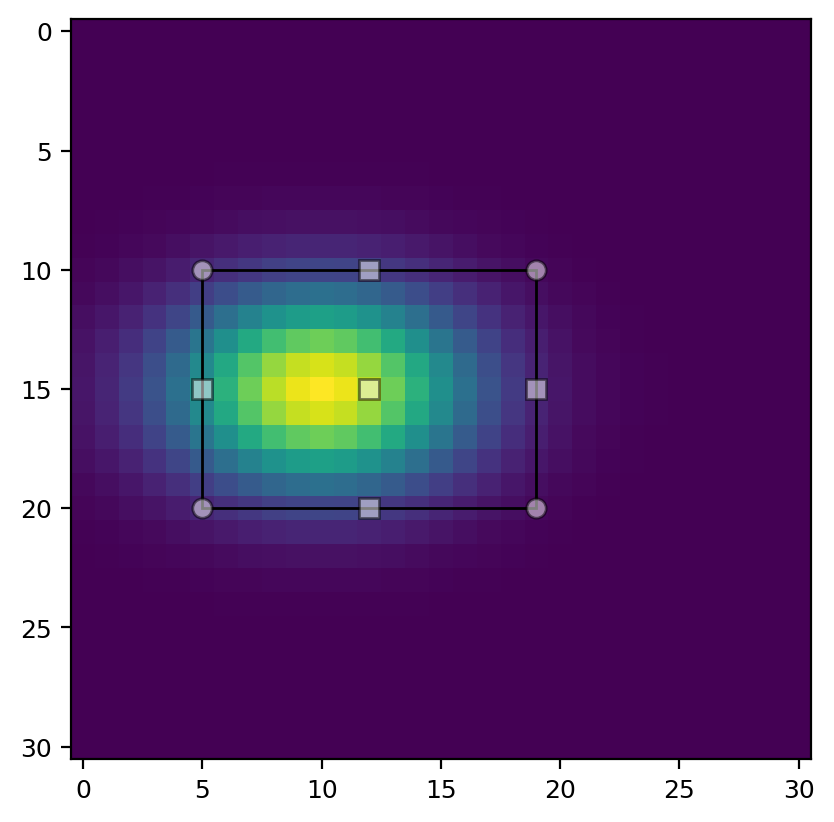
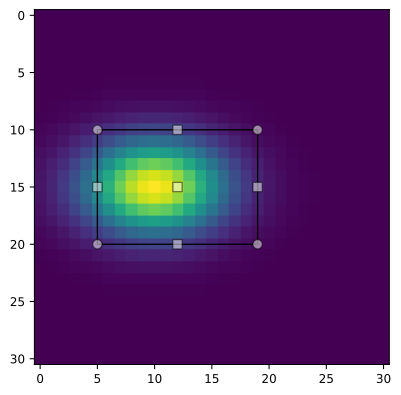
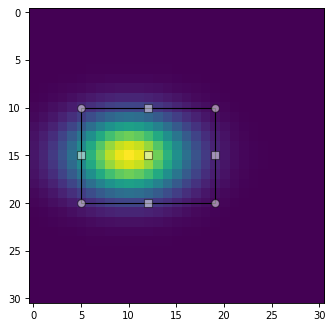
The selector creates and establishes a link to a matplotlib Selector
widget that allows manually positioning the rectangle region at the
central point, and scaling it by dragging its corner points.
Several modifier keys as specified by the state_modifier_keys parameter to
matplotlib.widgets.RectangleSelector provide further control of the
manipulation of this widget, with the following operations available:
“move”: Move the existing shape from anywhere, default: “space”.
“clear”: Clear the current shape, default: “escape”.
“square”: Make the shape square, default: “shift”.
“center”: Change the shape around its center, default: “ctrl”.
“rotate”: Rotate the shape around its center, default: “r” (toggles, requires Matplotlib 3.6+).
Via the optional callback parameter this method can be passed a
custom function that will be called on every update of the region,
i.e., after every move or resize of the selector.
For an example of its usage see Interactive Mask Control.
Multiple Regions
A Region object can represent only one region, not an array
(e.g., vector or list) of regions.
This is in contrast to the aperture classes in Photutils like
photutils.aperture.CircularAperture that do allow the
positions (but usually not the other parameters) to be arrays:
>>> from photutils import CircularAperture
>>> positions = [(1, 2), (3, 4)]
>>> apertures = CircularAperture(positions, r=4.2)
To represent lists of Region objects, you can store them in
Python lists or the Regions class, which effectively acts
like a list of regions. To create many similar regions or process many
regions you can use for loops or list comprehensions.
>>> from regions import PixCoord, CirclePixelRegion
>>> from regions import Regions
>>> regions = [CirclePixelRegion(center=PixCoord(x, y), radius=4.2)
...            for x, y in [(1, 2), (3, 4)]]
>>> for region in regions:
...    print(region.center)
PixCoord(x=1, y=2)
PixCoord(x=3, y=4)
>>> [region.area for region in regions]
[55.41769440932395, 55.41769440932395]
To create a Regions object, simply pass in a list of
regions:
>>> regs = Regions(regions)
>>> print(regs[0])
Region: CirclePixelRegion
center: PixCoord(x=1, y=2)
radius: 4.2
>>> [reg.area for reg in regs]
[55.41769440932395, 55.41769440932395]
The Regions class also provides a unified interface for
reading, writing, parsing, and serializing regions data in
different standard formats.